Five kinds of steps
Use TAP for taps and long presses, SWIPE for movement, WAIT for delays and PAUSE to wait for you to resume, and LABEL as a non-executing marker. Set a delay after each action, too.
Arrange taps, swipes and waits into an Android sequence. Move targets directly on the screen and edit your routine where it happens.
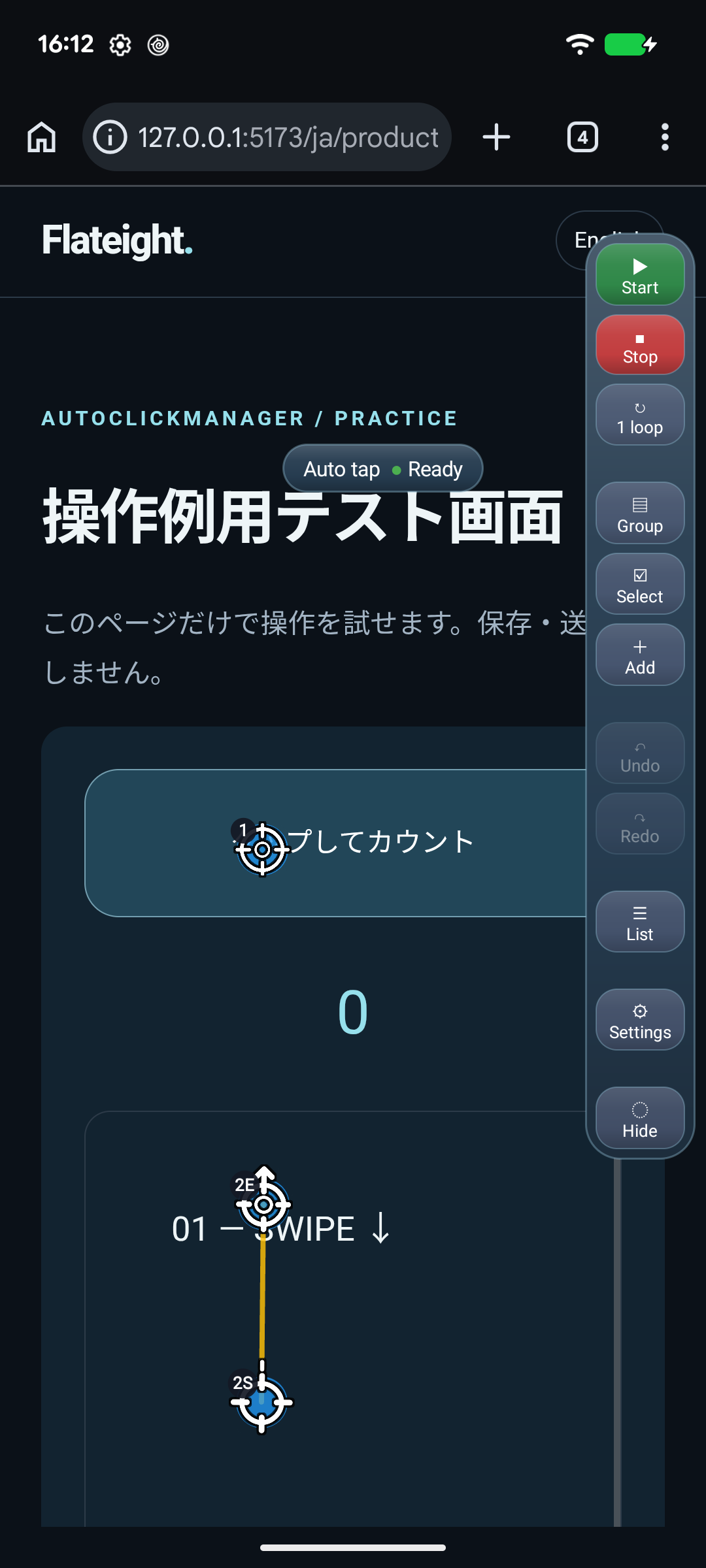
Use TAP for taps and long presses, SWIPE for movement, WAIT for delays and PAUSE to wait for you to resume, and LABEL as a non-executing marker. Set a delay after each action, too.
Tap rows in the list to keep editing, hold ≡ to reorder, and organize steps with optional names and LABEL markers. Use groups, reusable parts, undo and redo.
Start and stop from a floating menu. Repeat a set number of times or until stopped. Drag the whole menu to move it. Customize its order, colors and columns.
Choose Create, give it a name, then select Edit to open the floating menu. Enable the accessibility service when prompted.
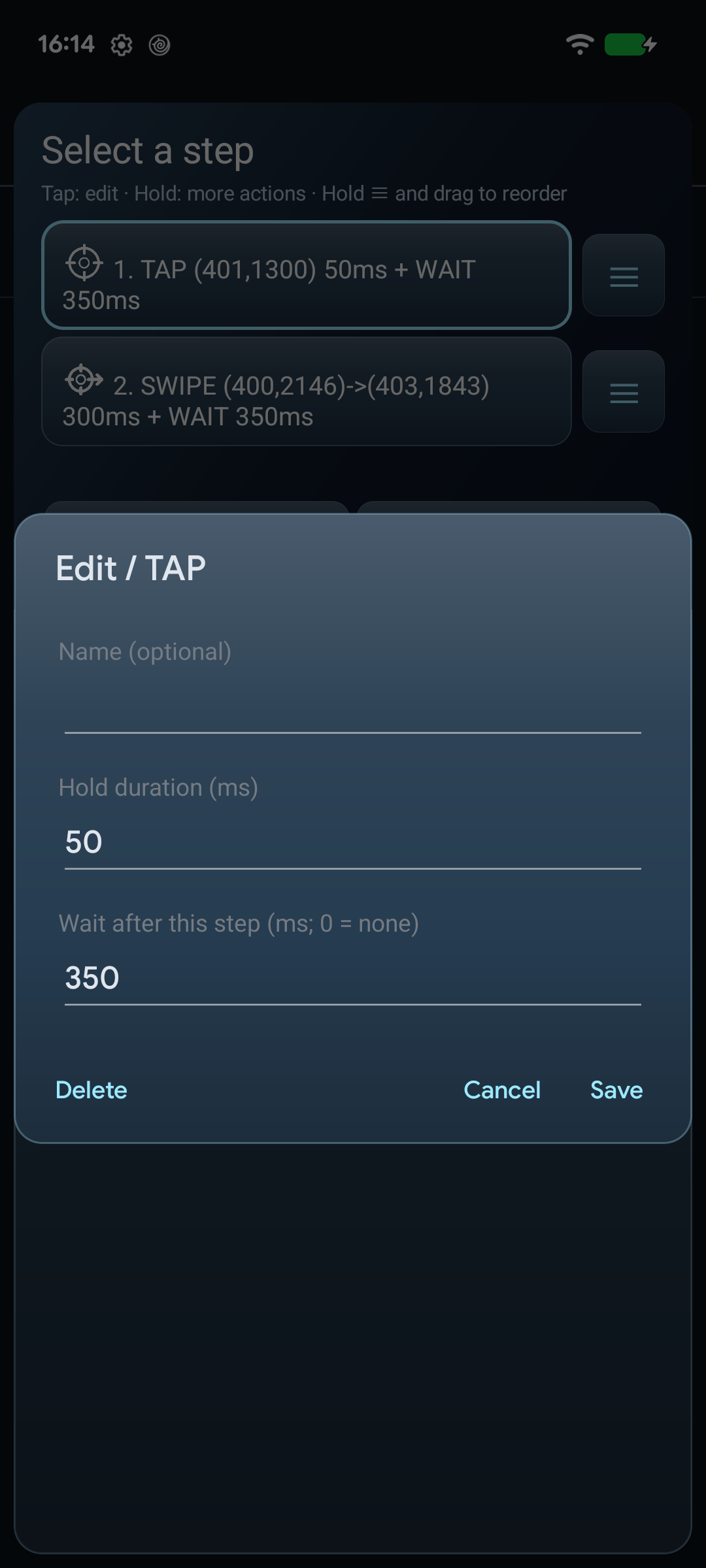
Choose a type from Add and drag the numbered targets. Set a default add type for quick insertion, or hold Add to choose another type. TAP and SWIPE are placed immediately. Drag to position them; long-press to edit duration and the wait after the action.
On a screen you can safely operate, set Loop to one cycle and start. Locate the Stop button before running your sequence.
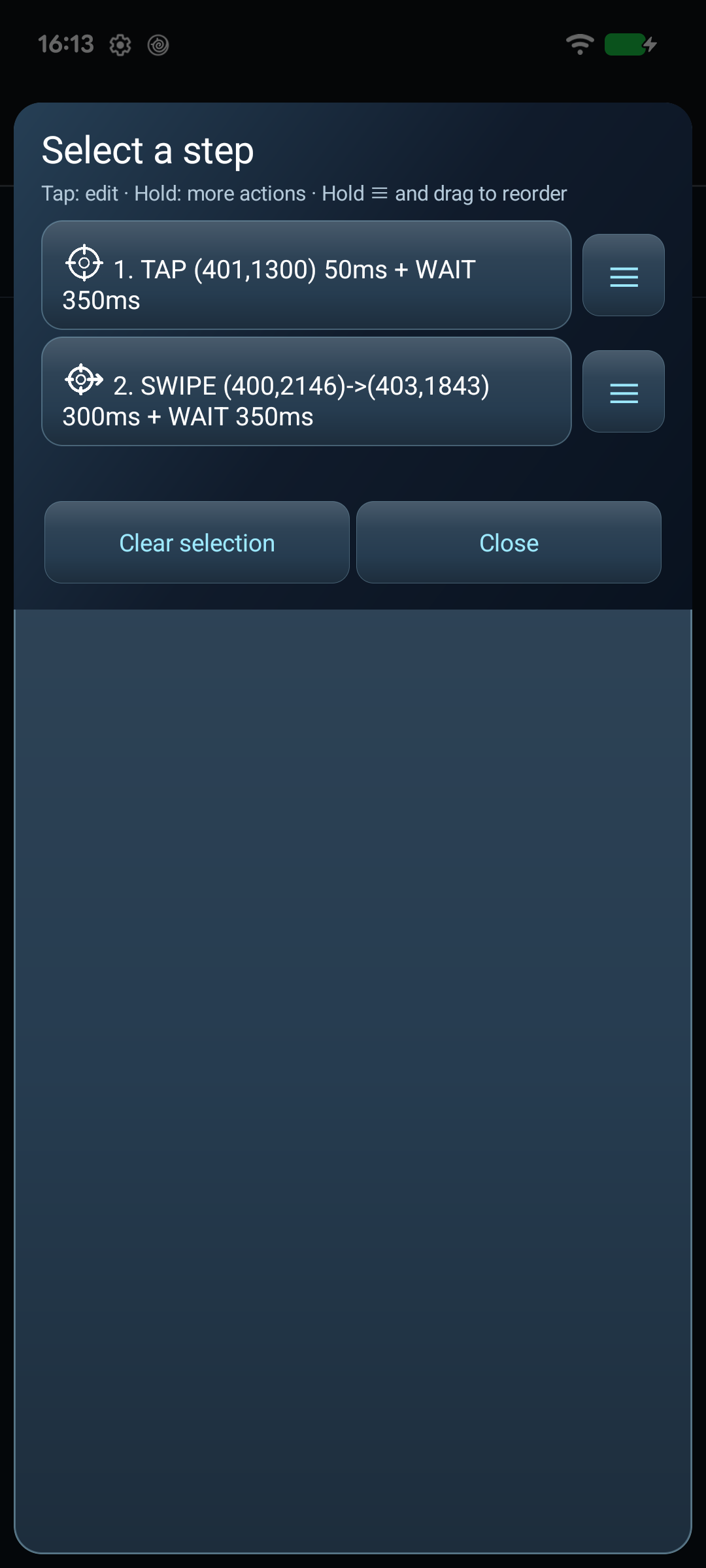
Edit steps directly from the list.
Open the step list from List in the dock, then tap a row to open its editing form over the list. Saving or deleting refreshes the list; close the form to select the next row. Give TAP, SWIPE, WAIT and PAUSE an optional name by editing them after creation.
Hold a row for editing, deletion or insertion before and after it. Hold ≡ and drag to reorder. Groups move together; a step inside a group can only move within that group. Ungroup first to move it across group boundaries.
LABEL is a text marker that performs no gesture or wait. Tap a group heading to collapse it; hold it to ungroup while keeping its steps, or delete the group and its steps after confirmation. Targets are hidden while the list is open and return when it closes, unless Hide is active.
Development-build screenshots captured on Pixel 7 running Android 17.
Distribution is outside Google Play. Check the source and signing identity, and read Android’s warnings before installing.
Changelog ↗Version 0.1.0 for Android 7.0 or later.
Download APK ↓Signed release · Android 7.0+ · 607,825 bytes
SHA-256d7c07d4fe1a95df90a0d009ba62c09ede7ad45acba2ad476b85327373d9a9bed
No separate overlay permission is requested. Targets and controls use the accessibility service’s overlay windows.
Screen-content retrieval is disabled, and the app has no internet permission. Sequences and settings stay on your device. The website and download host have separate data handling.
Playback is blocked when the current screen profile does not match the saved one. Use Screen setup to review and confirm coordinates. Coordinates are not converted automatically.